DigitalSquad

DigitalSquad

Digital Squad

Network Services

Home Network Setup Service

Expert Home Network Setup Service in the United States

Slow speeds and spotty Wi-Fi are a daily annoyance in a lot of homes, and the culprit is more often a poor setup than a weak signal. Your connection should be the most dependable part of your day, not the part you work around. Our Home Network Setup Service is built to clear out dead zones and sluggish connections and to lay a solid foundation for everything you do online, so each device performs the way it should. Modern connectivity can feel complicated, and we aim to make it simple. If you’d like help, call (404) 984-2226 or email help@adigitalsquad.com and get started today. Key Takeaways Dependable connectivity improves both work and downtime. Our experts resolve the usual Wi-Fi dead zones. We guide you toward a better-organized digital space. Reach our support team at (404) 984-2226 for assistance. Email help@adigitalsquad.com for custom tech solutions. A well-built setup means every device runs smoothly. Essential Components for a Reliable Home Network Setup Service A good setup depends on quality parts that cooperate well. A dependable system usually combines a fast modem, a capable router, and sometimes a network switch to manage traffic. The right mix keeps your digital life quick and steady. Selecting the Right Hardware for Your Needs Bandwidth needs vary from home to home depending on the number of devices and what they’re used for. Whether you stream in 4K or work from home all day, we help you pick the gear that fits. Professional installation then makes sure everything works together and reaches every area. Overwhelmed by the hardware choices? Call (404) 984-2226 or email help@adigitalsquad.com. Our team will walk you through the setup and make sure it lasts. “A network is only as strong as its weakest link, which is why investing in quality hardware is the most important step in home networking.” — Network Infrastructure Specialist Understanding Wired Versus Wireless Connectivity Choosing between wired and wireless is a core decision. Wireless suits devices that move around, while wired connections are faster and more dependable for stationary equipment. We usually recommend a blend of both for the best results. Feature Wired (Ethernet) Wireless (Wi-Fi) Stability High Moderate Mobility Low High Installation Complex Simple Best For Gaming/Work Mobile Devices Understanding these trade-offs helps you plan a network that performs well. Combining wired and wireless gives every device a smooth experience, and our team can design a system around how you actually use your home. Step-by-Step Guide to Professional Network Configuration A great digital experience starts with a well-configured network. Constant connectivity matters in modern homes, and our professional installation is aimed at lasting stability and strong performance. These steps help keep your home connected without interruptions. Modem and Router Placement Strategies Where you put your hardware affects signal quality. We recommend placing the router somewhere central and elevated to avoid interference, which helps eliminate dead zones and keeps coverage consistent. Avoid tucking equipment inside cabinets or behind TVs, since both block the signal. For a strong home Wi-Fi network setup, keep the router close to where you use it most. If you run into signal trouble, call (404) 984-2226 or email help@adigitalsquad.com. Configuring Security Protocols and Guest Access A well-built wireless network balances speed with protection. We apply current encryption standards, and with strong passwords and modern security settings, your devices stay safe. A separate guest network is a smart addition, keeping your own devices apart from visitors’. The table below shows the main security features we configure. Security Feature Primary Benefit Recommended Status WPA3 Encryption Advanced Data Protection Enabled Guest Network Device Isolation Active Firmware Updates Vulnerability Patching Automated SSID Hiding Reduced Visibility Optional Want help with a custom configuration? Our experts are ready. Call (404) 984-2226 or email help@adigitalsquad.com to get started. Optimizing Your Home Office Network and Wireless Coverage Your home office network carries your workday, from video calls to large file transfers, and even minor problems can slow you down. A properly built network keeps your connection working in your favor. Enhancing Signal Strength for Small Business Environments A small business operating from home needs more than a basic router. Mesh systems or high-gain access points can blanket the whole workspace and keep the connection fast wherever you sit. Place your gear centrally and high up so the signal reaches everywhere, and avoid thick walls that weaken it. That gives you reliable coverage across all your devices. Troubleshooting Common Connectivity Issues Even good networks have off days. If the internet slows or keeps dropping, start by restarting the modem and router, and confirm the firmware is current. Still stuck? Our team can help. Call (404) 984-2226 or email help@adigitalsquad.com, and we’ll sort out the problem quickly so your home office keeps running and you can focus on your work. Conclusion A stable connection underpins daily life, whether you work from home or just want things to run well. The right setup supports your productivity. We believe everyone deserves dependable technology. A strong network keeps a small team working smoothly, and DigitalSquad builds setups that grow with you. You should have a digital experience that supports your goals, and we’re here to help make your current setup better and more secure. Call (404) 984-2226 to talk through your needs, or email help@adigitalsquad.com to arrange a conversation. We look forward to helping you keep your connection fast and secure for the long run. FAQ What are the primary benefits of hiring a professional home network setup service? You get a fast, solid network built on well-chosen hardware, tuned for the best coverage, so every device works without hiccups. Questions? Call (404) 984-2226. How do you optimize a home office network for professional use? We tune the network for demanding tasks like video calls and large file transfers, using routers that keep your work from being disrupted by other household traffic. For help with your workspace, email help@adigitalsquad.com. Do you offer network setup for small business owners operating from home? Yes. We build networks that stay strong

Expert Home Network Setup Service in the United States Read More »
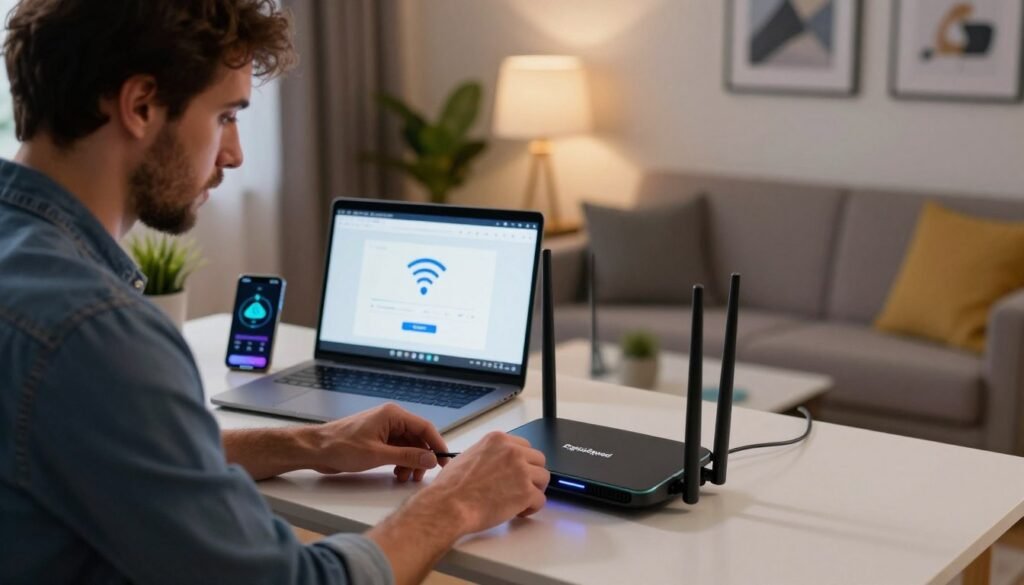
WiFi Setup Service Near Me

WiFi Setup Service Near Me for Fast and Easy Installation

Dead spots, buffering, and rooms where the signal simply gives up are some of the most common complaints in households today. Most of the time, the cause is not the internet plan itself but poor hardware placement or an outdated setup. A dependable connection is part of everyday life now, for work and for downtime alike. A professional WiFi installation is usually the quickest way to put those problems behind you. As your local WiFi setup service, DigitalSquad handles the whole process and matches you with the right setup to strengthen your network. Need a hand right away? Call (404) 984-2226 or email help@adigitalsquad.com to talk with an expert today. We take care of the technical work so you can simply enjoy a smooth connection. Key Takeaways Patchy coverage is a common frustration in homes and offices alike. Professional installation delivers a stable, fast connection. We serve as your single partner for every network need. Call (404) 984-2226 for immediate support. Our team keeps the installation process simple for your property. Preparing for Your Network Installation A good installation begins well before the router is plugged in. Getting your space ready sets the stage for a steady, fast connection throughout the property. Whether you’re planning a home WiFi network setup or outfitting an office, preparation makes the difference. A quick look at your environment up front helps you sidestep the usual problems. Assessing Your Home or Business Layout The shape of a building has a big influence on signal strength. Walls, furniture, and appliances can all absorb or block the signal on its way through. Look for a central location for the router, ideally somewhere open, so the signal can travel evenly to every corner of the space. Selecting the Right Hardware for Optimal Speed The right equipment is the heart of a budget-friendly setup, and you don’t need to overspend when your needs are modest. We help you choose hardware that suits both your requirements and your budget. Good technology chosen now tends to save money later. Gathering Necessary Tools and Credentials A professional installation takes more than a router. Keep your internet provider account details and any cabling on hand to save time on the day. We help you collect these items so your in-home internet installation goes smoothly. Being ready means we can work faster, and you can start using the network sooner. WiFi Setup Service Near Me: Step-by-Step Configuration Reliable performance starts with configuring your networking gear correctly. Whether it’s a household or a large office, a clear plan is what keeps the connection stable over time. Connecting Your Modem and Router Verifying Cable Connections Begin by checking every port and confirming each cable is firmly seated. A loose Ethernet cable is a surprisingly common source of trouble during installation. Powering Up Your Equipment Plug in the modem and give its lights time to settle. Then switch on the router and let it finish starting up before you connect any devices. Accessing the Router Administrative Interface Logging into the Web Portal Use a web browser on a connected device to manage your network. Enter the default IP address, which is usually printed on the router’s label, to reach the admin dashboard. Updating Firmware for Security A technician will update the firmware first. That step closes known security gaps and improves performance. Configuring Your Wireless Network Settings Setting a Secure SSID and Password Give your network a unique name that doesn’t reveal personal details, and protect it with a strong, complex password to keep intruders out. Optimizing Frequency Bands for Performance Modern routers broadcast on both 2.4GHz and 5GHz. The 5GHz band is the better pick for bandwidth-heavy activity like streaming or gaming, while 2.4GHz reaches farther. If you also rely on connections away from home, a proper mobile WiFi configuration keeps your devices switching between networks smoothly. Following these steps gives you a professional-grade result. If they feel like too much, a local WiFi setup service can take care of it — it’s work experts do every day. Conclusion Reliable internet underpins modern work and leisure. A fast connection takes careful planning and a proper setup, and our team makes sure your network is both stable and secure. A larger business network is more complex. It calls for specialized skills to handle many devices and heavy traffic, and our technicians have the experience to get it right, so you can focus on your goals. We’re proud to be a trusted WiFi setup company, and we work to make sure you’re pleased with the result. Our pricing is built around your budget and needs, so you can skip the hassle of troubleshooting on your own. Reach out to our support team with any questions or to book a setup. Call (404) 984-2226 to speak with a representative, or email help@adigitalsquad.com for quick help. FAQ How can I find a reliable wifi setup service near me for my home or office? DigitalSquad offers a local WiFi setup service for homes and businesses alike. Call (404) 984-2226 or email help@adigitalsquad.com, and one of our professional installers will make sure your installation is quick, dependable, and secure. What is the difference between a home wifi setup and a business wifi setup? A home setup is built for family use and streaming. A business setup needs sturdier hardware to support more users and tighter security. We assess your space and recommend what fits. Can I get an affordable wifi setup that offers high-speed performance? Yes. We pick systems from brands such as Netgear or Ubiquiti that suit your budget while keeping speeds strong, matched to how you actually use your network. Why should I hire a professional wifi setup technician instead of doing it myself? A technician handles every detail, from checking cable connections to updating firmware, and avoids the common pitfalls of DIY. The result is a network that holds up against interference and security threats. What steps are involved in a professional wifi installation? We start with a

WiFi Setup Service Near Me for Fast and Easy Installation Read More »

Managed Network Services in USA

Managed Network Services: Empowering USA Businesses

You may be surprised to learn that over 70% of small businesses experience major issues related to downtime. This explains the importance of proactive management in modern organizations. You need a powerful digital foundation to succeed. We provide comprehensive assistance to make sure your operations go seamlessly. By choosing our managed network services in the USA, you will be able to deal with technical issues and focus on the development of your business. We strive to create a powerful network that will ensure safety and connectivity for you and your team. Feel free to contact us anytime by calling (404) 984-2226 or sending an e-mail to help@adigitalsquad.com. Key Takeaways Proactive monitoring prevents costly downtime for growing organizations. Professional oversight ensures your digital infrastructure remains secure and reliable. Outsourcing technical tasks allows your team to focus on core business goals. We provide tailored solutions to meet the unique demands of your company. Contact our experts today to optimize your operational efficiency and connectivity. Understanding the Value of Managed Network Services in USA The modern-day organization faces immense pressures to ensure that its network functions effectively. There is increased demand for effective network functioning, which can prove to be difficult for the team to accomplish. Collaboration with a USA network services provider makes sure that your technology remains strong. Why Modern Businesses Require Professional Network Oversight Downtime is one of the major issues affecting companies in the modern business environment. Downtime could significantly impact your revenue. With the presence of experts monitoring your network, all potential problems are identified and prevented before they become critical. In this regard, your data will be secured and accessible. Effective network management goes beyond troubleshooting. It is also about ensuring performance, security, and scalability. Many organizations that seek professional assistance benefit from: Less system downtime. Improved security from cyber-attacks. Higher efficiency and reliability of operations. Core Benefits of Outsourcing IT Infrastructure Support By outsourcing managed IT services, you enable your personnel to concentrate on expanding your business operations. There will be no need for maintaining the network operation anymore. The task will be taken over by professionals who will allow your company to generate new ideas and attract more customers. We believe all businesses need to have a solid digital infrastructure in place. To show what difference the cooperation with experts will make in your case, we would like to become your partner. More information on network management can be found by calling at (404) 984-2226 or sending an e-mail to help@adigitalsquad.com. There are fewer threats when you outsource your network operation, which means that your business will be more stable in the future. You gain a competitive advantage that allows your business to thrive. Implementing Network Management Solutions We assist businesses in enhancing their digital performance with network management solutions. This begins with an assessment of your existing infrastructure and your future objectives. Assessing Your Current Network Architecture We first examine your hardware and software. This guarantees that all components match your requirements. Identifying Bottlenecks and Performance Gaps We identify and address slow processes in your system. This enhances your network performance and reliability. “Efficiency is doing things right; effectiveness is doing the right things.” Peter Drucker Selecting the Right Remote Monitoring and Management Tools We rely on remote monitoring and management technologies for a sound network. Our monitoring software provides us with real-time insight into your system. The selection of appropriate software is crucial for achieving our objectives. Some of the main characteristics include: Feature Benefit Impact Real-time Alerts Immediate notification Reduced downtime Automated Patching Security updates Lower risk Performance Reporting Data-driven insights Better planning Establishing Secure Connectivity Protocols Security comes first for any current day-to-day network. We have implemented strict protocols to ensure that your information remains secure. Configuring Firewalls and VPNs for Remote Teams As people begin to work from home, security becomes important. We create firewalls and remote monitoring and management services for your secure connection. Having trouble setting up your firewalls and remote monitoring and management services? Reach us at (404) 984-2226 or help@adigitalsquad.com. Optimizing IT Infrastructure Support and Security For maximum efficiency, your infrastructure needs optimization and protection against any potential risks. We believe that IT infrastructure support services should be preventative rather than merely corrective. We try to maintain equilibrium between efficiency and safety by ensuring your data is both secure and readily accessible. Proactive Network Performance Optimization Strategies We employ best-of-breed technologies to anticipate any potential issues that may arise, ensuring optimal performance of your network all the time. Network performance optimization ensures that data transfers within the network are seamless, allowing your operations to run smoothly. Continuous monitoring of traffic to identify potential bottlenecks. Automated management of resources for critical applications. Proactive hardware maintenance to avoid unexpected disruptions. Enhancing Network Security Services Against Emerging Threats In the ever-evolving digital world, you need to stay ahead. Our network security services will help keep any malicious attempts at bay. With periodic assessments and immediate notifications of any imminent threat, we make sure that your valuable data stays protected against any hacking attacks. Maintaining Compliance and Data Integrity It is vital to follow certain rules for all modern companies. We will help you navigate through any complicated laws to ensure your systems remain compliant and secure. If you wish to know more about our approaches towards compliance or require a security audit, please feel free to contact us. You can reach out to us by calling (404) 984-2226 or emailing us at help@adigitalsquad.com. Conclusion In today’s world, organizations are faced with a highly dynamic environment and need to be efficient in order to maintain their operations effectively. Managed networking can help them achieve this by providing efficiency in all aspects throughout the United States. With proactive information technology management, your technology infrastructure will become a valuable asset in helping your business grow rather than an obstacle that prevents it from developing further. DigitalSquad develops tailor-made networking solutions for any business that wants to increase its efficiency. We are

Managed Network Services: Empowering USA Businesses Read More »

Scroll to Top