DigitalSquad

DigitalSquad

Digital Squad

DigitalSquad

Home Network Setup Service

Expert Home Network Setup Service in the United States

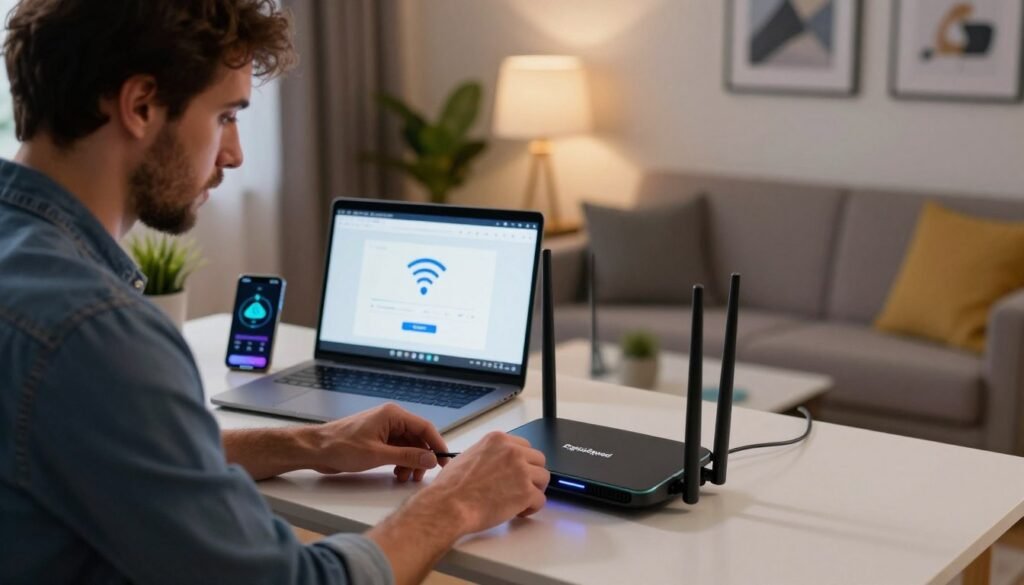
Slow speeds and spotty Wi-Fi are a daily annoyance in a lot of homes, and the culprit is more often a poor setup than a weak signal. Your connection should be the most dependable part of your day, not the part you work around. Our Home Network Setup Service is built to clear out dead zones and sluggish connections and to lay a solid foundation for everything you do online, so each device performs the way it should. Modern connectivity can feel complicated, and we aim to make it simple. If you’d like help, call (404) 984-2226 or email help@adigitalsquad.com and get started today. Key Takeaways Dependable connectivity improves both work and downtime. Our experts resolve the usual Wi-Fi dead zones. We guide you toward a better-organized digital space. Reach our support team at (404) 984-2226 for assistance. Email help@adigitalsquad.com for custom tech solutions. A well-built setup means every device runs smoothly. Essential Components for a Reliable Home Network Setup Service A good setup depends on quality parts that cooperate well. A dependable system usually combines a fast modem, a capable router, and sometimes a network switch to manage traffic. The right mix keeps your digital life quick and steady. Selecting the Right Hardware for Your Needs Bandwidth needs vary from home to home depending on the number of devices and what they’re used for. Whether you stream in 4K or work from home all day, we help you pick the gear that fits. Professional installation then makes sure everything works together and reaches every area. Overwhelmed by the hardware choices? Call (404) 984-2226 or email help@adigitalsquad.com. Our team will walk you through the setup and make sure it lasts. “A network is only as strong as its weakest link, which is why investing in quality hardware is the most important step in home networking.” — Network Infrastructure Specialist Understanding Wired Versus Wireless Connectivity Choosing between wired and wireless is a core decision. Wireless suits devices that move around, while wired connections are faster and more dependable for stationary equipment. We usually recommend a blend of both for the best results. Feature Wired (Ethernet) Wireless (Wi-Fi) Stability High Moderate Mobility Low High Installation Complex Simple Best For Gaming/Work Mobile Devices Understanding these trade-offs helps you plan a network that performs well. Combining wired and wireless gives every device a smooth experience, and our team can design a system around how you actually use your home. Step-by-Step Guide to Professional Network Configuration A great digital experience starts with a well-configured network. Constant connectivity matters in modern homes, and our professional installation is aimed at lasting stability and strong performance. These steps help keep your home connected without interruptions. Modem and Router Placement Strategies Where you put your hardware affects signal quality. We recommend placing the router somewhere central and elevated to avoid interference, which helps eliminate dead zones and keeps coverage consistent. Avoid tucking equipment inside cabinets or behind TVs, since both block the signal. For a strong home Wi-Fi network setup, keep the router close to where you use it most. If you run into signal trouble, call (404) 984-2226 or email help@adigitalsquad.com. Configuring Security Protocols and Guest Access A well-built wireless network balances speed with protection. We apply current encryption standards, and with strong passwords and modern security settings, your devices stay safe. A separate guest network is a smart addition, keeping your own devices apart from visitors’. The table below shows the main security features we configure. Security Feature Primary Benefit Recommended Status WPA3 Encryption Advanced Data Protection Enabled Guest Network Device Isolation Active Firmware Updates Vulnerability Patching Automated SSID Hiding Reduced Visibility Optional Want help with a custom configuration? Our experts are ready. Call (404) 984-2226 or email help@adigitalsquad.com to get started. Optimizing Your Home Office Network and Wireless Coverage Your home office network carries your workday, from video calls to large file transfers, and even minor problems can slow you down. A properly built network keeps your connection working in your favor. Enhancing Signal Strength for Small Business Environments A small business operating from home needs more than a basic router. Mesh systems or high-gain access points can blanket the whole workspace and keep the connection fast wherever you sit. Place your gear centrally and high up so the signal reaches everywhere, and avoid thick walls that weaken it. That gives you reliable coverage across all your devices. Troubleshooting Common Connectivity Issues Even good networks have off days. If the internet slows or keeps dropping, start by restarting the modem and router, and confirm the firmware is current. Still stuck? Our team can help. Call (404) 984-2226 or email help@adigitalsquad.com, and we’ll sort out the problem quickly so your home office keeps running and you can focus on your work. Conclusion A stable connection underpins daily life, whether you work from home or just want things to run well. The right setup supports your productivity. We believe everyone deserves dependable technology. A strong network keeps a small team working smoothly, and DigitalSquad builds setups that grow with you. You should have a digital experience that supports your goals, and we’re here to help make your current setup better and more secure. Call (404) 984-2226 to talk through your needs, or email help@adigitalsquad.com to arrange a conversation. We look forward to helping you keep your connection fast and secure for the long run. FAQ What are the primary benefits of hiring a professional home network setup service? You get a fast, solid network built on well-chosen hardware, tuned for the best coverage, so every device works without hiccups. Questions? Call (404) 984-2226. How do you optimize a home office network for professional use? We tune the network for demanding tasks like video calls and large file transfers, using routers that keep your work from being disrupted by other household traffic. For help with your workspace, email help@adigitalsquad.com. Do you offer network setup for small business owners operating from home? Yes. We build networks that stay strong

Expert Home Network Setup Service in the United States Read More »
WiFi Setup Service Near Me

WiFi Setup Service Near Me for Fast and Easy Installation

Dead spots, buffering, and rooms where the signal simply gives up are some of the most common complaints in households today. Most of the time, the cause is not the internet plan itself but poor hardware placement or an outdated setup. A dependable connection is part of everyday life now, for work and for downtime alike. A professional WiFi installation is usually the quickest way to put those problems behind you. As your local WiFi setup service, DigitalSquad handles the whole process and matches you with the right setup to strengthen your network. Need a hand right away? Call (404) 984-2226 or email help@adigitalsquad.com to talk with an expert today. We take care of the technical work so you can simply enjoy a smooth connection. Key Takeaways Patchy coverage is a common frustration in homes and offices alike. Professional installation delivers a stable, fast connection. We serve as your single partner for every network need. Call (404) 984-2226 for immediate support. Our team keeps the installation process simple for your property. Preparing for Your Network Installation A good installation begins well before the router is plugged in. Getting your space ready sets the stage for a steady, fast connection throughout the property. Whether you’re planning a home WiFi network setup or outfitting an office, preparation makes the difference. A quick look at your environment up front helps you sidestep the usual problems. Assessing Your Home or Business Layout The shape of a building has a big influence on signal strength. Walls, furniture, and appliances can all absorb or block the signal on its way through. Look for a central location for the router, ideally somewhere open, so the signal can travel evenly to every corner of the space. Selecting the Right Hardware for Optimal Speed The right equipment is the heart of a budget-friendly setup, and you don’t need to overspend when your needs are modest. We help you choose hardware that suits both your requirements and your budget. Good technology chosen now tends to save money later. Gathering Necessary Tools and Credentials A professional installation takes more than a router. Keep your internet provider account details and any cabling on hand to save time on the day. We help you collect these items so your in-home internet installation goes smoothly. Being ready means we can work faster, and you can start using the network sooner. WiFi Setup Service Near Me: Step-by-Step Configuration Reliable performance starts with configuring your networking gear correctly. Whether it’s a household or a large office, a clear plan is what keeps the connection stable over time. Connecting Your Modem and Router Verifying Cable Connections Begin by checking every port and confirming each cable is firmly seated. A loose Ethernet cable is a surprisingly common source of trouble during installation. Powering Up Your Equipment Plug in the modem and give its lights time to settle. Then switch on the router and let it finish starting up before you connect any devices. Accessing the Router Administrative Interface Logging into the Web Portal Use a web browser on a connected device to manage your network. Enter the default IP address, which is usually printed on the router’s label, to reach the admin dashboard. Updating Firmware for Security A technician will update the firmware first. That step closes known security gaps and improves performance. Configuring Your Wireless Network Settings Setting a Secure SSID and Password Give your network a unique name that doesn’t reveal personal details, and protect it with a strong, complex password to keep intruders out. Optimizing Frequency Bands for Performance Modern routers broadcast on both 2.4GHz and 5GHz. The 5GHz band is the better pick for bandwidth-heavy activity like streaming or gaming, while 2.4GHz reaches farther. If you also rely on connections away from home, a proper mobile WiFi configuration keeps your devices switching between networks smoothly. Following these steps gives you a professional-grade result. If they feel like too much, a local WiFi setup service can take care of it — it’s work experts do every day. Conclusion Reliable internet underpins modern work and leisure. A fast connection takes careful planning and a proper setup, and our team makes sure your network is both stable and secure. A larger business network is more complex. It calls for specialized skills to handle many devices and heavy traffic, and our technicians have the experience to get it right, so you can focus on your goals. We’re proud to be a trusted WiFi setup company, and we work to make sure you’re pleased with the result. Our pricing is built around your budget and needs, so you can skip the hassle of troubleshooting on your own. Reach out to our support team with any questions or to book a setup. Call (404) 984-2226 to speak with a representative, or email help@adigitalsquad.com for quick help. FAQ How can I find a reliable wifi setup service near me for my home or office? DigitalSquad offers a local WiFi setup service for homes and businesses alike. Call (404) 984-2226 or email help@adigitalsquad.com, and one of our professional installers will make sure your installation is quick, dependable, and secure. What is the difference between a home wifi setup and a business wifi setup? A home setup is built for family use and streaming. A business setup needs sturdier hardware to support more users and tighter security. We assess your space and recommend what fits. Can I get an affordable wifi setup that offers high-speed performance? Yes. We pick systems from brands such as Netgear or Ubiquiti that suit your budget while keeping speeds strong, matched to how you actually use your network. Why should I hire a professional wifi setup technician instead of doing it myself? A technician handles every detail, from checking cable connections to updating firmware, and avoids the common pitfalls of DIY. The result is a network that holds up against interference and security threats. What steps are involved in a professional wifi installation? We start with a

WiFi Setup Service Near Me for Fast and Easy Installation Read More »

Tech Support For Seniors Near Me

Tech Support For Seniors in The USA – Friendly Help Today

Nearly 40% of older adults in the United States feel genuinely overwhelmed by modern digital devices. That gap makes it harder to stay in touch with family and access services that increasingly exist only online. Age shouldn’t be the reason someone gets left behind. Our goal is to offer guidance that’s patient first, technical second. We help you use your devices with real confidence, not just a memorized set of steps. Whether you want help nearby or simply someone willing to explain things clearly, we’re here for that. Need help right away? Call (404) 984-2226 or email help@adigitalsquad.com. Our team is ready to provide the kind of professional assistance that actually meets you where you are. Finding good tech support for seniors near you shouldn’t be this hard — and now it isn’t. Key Takeaways We help close the digital divide for older adults across the United States. Our approach centers on patience, clarity, and building real confidence. We offer personalized help across modern devices and software alike. Reach our team by phone at (404) 984-2226. Email help@adigitalsquad.com for a quick response. Finding Reliable Tech Support For Seniors Near Me Learning digital tools can feel intimidating, but the right kind of help changes that entirely. Everyone deserves to feel safe and capable online, and getting real senior tech support is what makes learning at your own pace actually possible. Evaluating Local Assistance Options Looking for help with your devices? Prioritize people who are genuinely patient and communicate clearly, without jargon. They should understand just how frustrating new technology can feel when it isn’t explained well. Good local tech assistance for seniors values the relationship, not just the transaction. “Technology is best when it brings people together, and the right support ensures that connection remains seamless and stress-free.” The Benefits of Professional In-Home Support In-home tech support for seniors offers real advantages over a crowded store counter. Learning happens in your own space, at your own pace — not rushed, not surrounded by noise. That setup lets our team focus entirely on your specific devices and the exact questions you have. Personalized attention — We focus entirely on your specific devices and questions. Comfort — Learning in your own home reduces anxiety and improves retention. Safety — Professional technicians provide secure, vetted assistance in your private space. Identifying Your Specific Technology Needs Finding the right support starts with knowing what you actually need help with. A new phone, a printer that won’t cooperate, email security that feels confusing — whatever it is, we start there. Our team reviews your setup first, so the help you get is actually relevant to you. Ready to make your digital life easier? Reach out today. Call (404) 984-2226 or email help@adigitalsquad.com to talk through your needs. We’re glad to help you build real digital independence. Essential Digital Skills and Troubleshooting Steps Every senior deserves to feel confident and secure online, not anxious about clicking the wrong thing. Good technology support for seniors is built around exactly that — helping you use tools that keep you genuinely connected. Learning even a handful of basic skills can transform how you use a phone, tablet, or computer day to day. Managing Basic Device Settings and Updates Keeping software current matters for smooth, reliable device use. Turning on automatic updates closes security gaps before they become a real problem. If updates feel confusing, someone offering tech support for older adults can walk you through it step by step, at whatever pace you need. Staying Safe Online and Avoiding Scams The internet holds a lot of genuine value, but real dangers too. Always check where an email or message actually came from before clicking anything inside it. Understanding common digital threats is one of the strongest protections against identity theft. Recognizing Phishing Attempts Phishing scams typically ask for personal information through urgent-sounding emails. Watch for spelling mistakes, unusual email addresses, or requests for sensitive data out of nowhere. Never share a Social Security number or bank details through a link you haven’t independently verified. Securing Personal Accounts with Strong Passwords Reusing the same password across every account is a real risk, even if it feels convenient. Build unique, complex passwords using a mix of letters, numbers, and symbols. A password manager keeps everything organized without asking you to memorize a dozen different combinations. Security Practice Risk Level Recommended Action Password Reuse High Create unique passwords Software Updates Medium Enable auto-updates Suspicious Links Critical Delete immediately Connecting with Family Through Video Calls Video calls are one of the best tools for staying close to family, especially across distance. Running into trouble with Zoom or FaceTime? Reach out to us directly. Our nearby support team makes sure staying connected to loved ones doesn’t get derailed by a technical hiccup. For personalized help, call (404) 984-2226 or email help@adigitalsquad.com. We’re here to help you feel confident and genuinely safe online. Conclusion Learning modern technology can open real doors — new experiences and stronger connections with the people who matter most. Digital independence is genuinely central to aging with confidence here in the United States. Our team offers senior-friendly tech help built to make you feel safe online, not talked down to. We keep learning approachable by focusing on your pace and your specific goals, not a generic script. You deserve patient guidance that makes digital tasks feel manageable rather than intimidating. Our computer training for seniors is built to help you keep pace with today’s world, on your own terms. Our experts at DigitalSquad are ready to support you. We want to help you genuinely master your tech, so you can focus on what actually matters to you. Call (404) 984-2226 to begin your training, or email help@adigitalsquad.com to book your first session. We’re looking forward to working with you. FAQ Where can I find reliable tech support for seniors near me? At DigitalSquad, we offer tech support for seniors across the United States, with local techs who genuinely take the time

Tech Support For Seniors in The USA – Friendly Help Today Read More »

Virus Removal Service USA

Virus Removal Service USA Protect Your Computer Today

A slow computer isn’t always just old age. Sometimes it’s a symptom — pop-ups multiplying out of nowhere, programs crashing without warning, a browser that suddenly redirects somewhere it shouldn’t. When those signs show up together, the machine usually needs more than a restart. We provide a virus removal service for USA residents, and businesses turn to us when a device needs real intervention, not a guess. Our team works quickly to get your machine back to normal and puts protections in place so the same infection doesn’t return in a few weeks. Beyond the immediate fix, we treat digital security and ongoing malware protection as part of the same job, not two separate services. You don’t have to sort this out solo. Think your device might be compromised? Reach out without delay. Call (404) 984-2226 or email help@adigitalsquad.com. Let our virus removal service team get things running safely again. Key Takeaways Staying ahead of security threats matters for everyone, not just larger organizations. Acting quickly limits data loss and prevents lasting hardware damage. Our team handles both the cleanup and the ongoing protection afterward. Reach us easily by phone or email whenever an issue comes up. Restoring your device’s performance is always the end goal, not just removing a threat. Identifying Signs of Malware and System Compromise Catching the early signs of a compromised system is half the battle. When a computer starts behaving oddly, that’s often the first clue something has slipped past your defenses. Common Symptoms of a Virus Infection A noticeable slowdown or programs crashing for no apparent reason are two of the more obvious warning signs. A sudden flood of pop-up windows is another classic tell. Watch for browser settings changing on their own, or files disappearing or getting renamed without explanation. Spotting any of these is usually the moment to start looking for a virus removal service near you. Why Immediate Action is Necessary for Data Security Delaying a fix gives malware room to spread, putting both personal and financial information at risk in the process. Finding the best virus removal service to clear out the infection completely is worth prioritizing over waiting to see if it resolves on its own. Acting quickly protects your work and keeps further damage from setting in. Local virus removal services offer real peace of mind here — fast intervention is what keeps your data safe from whatever comes next. Step-by-Step Guide to Manual Virus Removal Looking for an affordable virus removal service starting point? Learning to clean your system manually is a solid first move. This guide walks through the basics of regaining control of your machine — and often, these steps resolve the issue without needing outside help at all. Entering Safe Mode for System Cleanup Any effective fast virus removal service approach starts with isolating the threat. Safe Mode boots your computer using only essential drivers and services, which keeps malicious software from launching the moment you power on. To reach Safe Mode on Windows, head into your settings and look for the recovery options. Restarting into the advanced startup environment gets you there. Once you’re in Safe Mode, cleanup gets significantly easier, since the virus can’t hide behind active background processes anymore. Utilizing Built-in Security Tools Modern operating systems already come loaded with genuinely capable tools for protecting your data. Expensive third-party antivirus software isn’t always necessary to handle a basic infection. Leaning on these native tools first is a dependable way to maintain overall computer security and system health. Running Windows Defender Scans Windows Defender offers solid real-time protection against a wide range of threats. Running a full system scan while in Safe Mode is worth the time — checking every file thoroughly. It can take a while to complete, but it’s genuinely effective at surfacing hidden malware that a quick scan would miss. Clearing Malicious Browser Extensions A lot of infections make their way in through the web browser specifically. Malicious extensions often track activity quietly or redirect you toward harmful sites without warning. Go through your browser settings and remove anything unfamiliar or unused. Feature Manual Removal Professional Service Cost Free Paid Speed User-dependent Fast virus removal service Complexity High Low Success Rate Variable Guaranteed Choosing the affordable virus removal service route on your own takes patience and real attention to detail. If your system is still unstable after working through these steps, that’s usually the signal to bring in a specialist. Keeping a clean system matters enormously for long-term data security. Professional Virus Removal Service USA Solutions When a system is facing a stubborn threat, our virus removal service USA steps in to help. We bring deep technical expertise to bear on your digital security, removing hidden malware that standard consumer tools often miss entirely. Benefits of Hiring Experienced Virus Removal Technicians Bringing in experienced virus removal technicians means your computer gets a genuinely thorough check-up. Our team can identify and remove even the more stubborn threats — rootkits, ransomware, the kind of malware that regular scans overlook. That expertise means you skip the risks that come with attempting a fix solo. Comprehensive system scanning and deep-layer threat detection. Restoration of system performance and speed. Protection of sensitive personal and financial data. Why We Are the Top-Rated Virus Removal Company We’ve built a reputation as a top-rated virus removal company through consistent, dependable service. Our professional virus removal experts stay current on the latest methods to keep your computer genuinely safe. We keep you informed throughout the process, so nothing feels like a black box. How to Reach Our Reliable Virus Removal Specialists Getting your computer back to a safe state is straightforward with our reliable virus removal specialists on your side. We’re ready to help with whatever tech problem you’re facing. Use either contact method below to start your request. Contacting Us via Phone For fast help, call our support line at (404) 984-2226. Our team is ready to listen and respond quickly. Reaching Out Through Email Support

Virus Removal Service USA Protect Your Computer Today Read More »

Malware Removal Service Near Me

Expert Malware Removal Service in The USA You Can Trust

A security breach rarely announces itself politely. One minute your system runs normally; the next, something feels off — a pop-up you didn’t expect, a browser that’s suddenly behaving strangely, a machine that’s crawling for no obvious reason. That gap between “something’s wrong” and “I know exactly what to do” is where most of the stress lives. Our team offers a Malware Removal Service Near Me built for exactly that moment. We clear active threats from your devices and put safeguards in place, so the same problem doesn’t just come back next month. As a trusted malware removal company, our approach centers on expert malware removal that actually holds up over time, not a quick patch. If you’re dealing with a security issue right now, call (404) 984-2226 or email help@adigitalsquad.com. Our technicians handle each case as a professional malware removal service should — thoroughly and without wasting your time. Key Takeaways Cyberattacks are a routine part of the digital landscape now, not a rare event. Working with a specialist takes a lot of the panic out of a breach. We clean devices completely, not just the symptom you happened to notice. Phone and email support are both available whenever you need them. Our focus stays on function and safety together — a device that works and stays protected. Identifying and Assessing Security Threats It’s easy to miss the early warning signs of an infection, especially when a computer’s quirks get written off as “it’s just old” or “it’s always been like this.” Once your device starts behaving unusually, running a local malware check is worth doing right away, before the issue has a chance to spread. Whether you’re actively searching for a Malware Removal Service Near Me or trying to diagnose it yourself first, recognizing these signs early makes a real difference. Catching an infection before it moves across your network saves you from a much bigger cleanup later. Recognizing Common Signs of Malware Infection Malware tends to leave a trail once you know what to watch for. A system that’s suddenly sluggish or crashing repeatedly is often the first sign something’s wrong underneath the surface. Other red flags worth watching for: Pop-up ads appearing on your desktop that weren’t there before. Browser settings changing without you touching them. Files or folders vanishing with no explanation. CPU usage spiking high even when nothing’s actively running. If you’ve been searching for malware removal near me Georgia, these are exactly the symptoms that warrant a closer look. The table below breaks down how seriously to treat each one. Symptom Severity Level Recommended Action Slow Performance Low Run a full system scan Browser Redirects Medium Clear cache and reset settings Unauthorized Pop-ups Medium Remove suspicious extensions System Lockouts High Contact professional support Initial Steps to Isolate Your Device If you suspect an infection, the priority is to stop it from spreading further. The single most effective step is disconnecting the device from the internet immediately. Unplugging the network cable, or simply switching off Wi-Fi, cuts the connection an attacker relies on. That break protects your data while you figure out the right next move. These steps put you back in control of the situation. Once the device is isolated, you can decide what happens next without the risk of things getting worse in the meantime. Professional Malware Removal Service Near Me: When to Call the Experts Knowing exactly when to bring in a specialist is a real skill in itself. Some issues genuinely resolve with a basic update or a routine scan. Others — the ones that keep coming back, or that resist every fix you try — call for a professional malware removal service before real damage sets in. Why Small Businesses Need Specialized Support Small businesses get targeted often, precisely because their defenses tend to be thinner than a larger company’s. Malware removal for small businesses isn’t a luxury add-on here — it’s what keeps operations running and client data actually protected. Without expert support, one infection can spiral into serious downtime and real financial loss. Getting ahead of the problem, rather than reacting to it, is what keeps a small business steady through an attack instead of derailed by one. Benefits of Choosing Trusted Malware Removal Specialists Working with the best malware removal company gets you access to tools and techniques that go well beyond a standard consumer antivirus scan. Our experienced malware removal experts understand how modern threats actually behave, and they catch the vulnerabilities that a surface-level scan tends to miss entirely. Clients often tell us they came looking for a single fix and found a top-rated malware removal expert they now call for every device in the house. “The cost of a security breach is not just in the data lost, but in the trust you lose with your customers.” Our Approach to Quick Malware Removal Solutions Speed matters here, which is why our quick malware removal solutions are built to minimize downtime from the outset. We move efficiently without skipping the steps that actually matter for a lasting fix. We don’t cut corners just to finish faster. Our process is streamlined specifically so your business — or your household — gets back to normal quickly, and stays that way. How to Reach Our Team for Immediate Assistance If your network feels compromised, don’t wait it out. Reach our trusted malware removal specialists directly for help. Call (404) 984-2226 or email help@adigitalsquad.com. Our team is ready to help secure your digital space, starting the moment you reach out. Conclusion Keeping a digital environment secure isn’t a one-time fix — it’s ongoing work that takes real skill and steady maintenance. We’re proud to serve as a top malware removal service for everyone we work with, treating every case with the same level of care. Our best malware removal solutions are paired with broader professional cybersecurity services, including secure website protection for anyone running a business site that can’t afford unplanned downtime. Threats evolve constantly. Choosing an

Expert Malware Removal Service in The USA You Can Trust Read More »

Remove Bloatware From New Laptop

Remove Bloatware From New Laptop for Better Performance

Nearly 30% of the storage on a fresh machine is often eaten up by pre-installed junk before you’ve even opened a single app of your own. Buying a new device should feel exciting, not frustrating — but these hidden apps can slow your machine down right out of the box. We believe your device should run at peak efficiency from day one, not week three after you’ve finally cleared it out yourself. Our team helps free up system resources by finding and removing software that quietly drains your battery and memory in the background. Struggling with bloatware removal on your new laptop yourself? We’re here for that. Call (404) 984-2226 or email help@adigitalsquad.com. We’ll make sure your machine performs the way it’s supposed to. Key Takeaways Pre-installed software often consumes significant system resources immediately after setup. Optimizing your startup process genuinely improves hardware longevity over time. We specialize in identifying and clearing unnecessary background tasks. Professional support is available if you run into persistent technical issues. Contact us at (404) 984-2226 for expert optimization services. How to Remove Bloatware From New Laptop Effectively Learning how to remove bloatware is genuinely central to making your system faster and more efficient. Many new laptops ship with apps that eat up space and slow things down — apps that offer you basically nothing in return. Getting this right during your new laptop setup saves you a lot of frustration down the road. It’s worth checking your system right after unboxing it, before you’ve settled into daily use. That early pass is what keeps things running smoothly from the start. Taking the time to declutter laptop software early makes the whole machine faster and easier to actually use. Identifying Unwanted Preinstalled Software The first step is distinguishing genuinely useful apps from the ones that aren’t. The useful ones handle real hardware functions — your trackpad, your speakers, that kind of thing. The unnecessary ones tend to be trial software and games you never asked for. If you’re unsure about a specific app, a quick search will usually tell you exactly what it does and whether it’s safe to remove. Manual Uninstallation via Windows Settings You can remove preinstalled software from a laptop using Windows’ built-in tools. Head to “Settings,” then “Apps” to see the full list of what’s currently installed. Scan through the list and pick out what you want gone. Click “Uninstall” and follow the prompts to remove it cleanly. Utilizing Third-Party Bloatware Removal Tools If you’d rather take an easier route, some of the best bloatware removal tools available can genuinely simplify the process. These tools catch apps that are difficult to track down manually, buried deep in the system. A solid bloatware remover speeds up the whole cleanup considerably, especially if you’re dealing with a long list of unwanted apps. Just make sure to download these tools from trusted sources — the last thing you want is to introduce new junk while removing the old. Need a hand with any of these steps? Our team is here for it. Call (404) 984-2226 or email help@adigitalsquad.com for expert advice. Best Practices for Maintaining Laptop Optimization Keeping your laptop in genuinely good shape takes regular attention, not a one-time cleanup. To fully clean your laptop from bloatware, you need an actual routine — a real software clean up habit that keeps things fast and efficient over the long haul. Small, consistent system tweaks add up to a much bigger performance improvement than a single dramatic overhaul ever does. Build these habits into your monthly maintenance for the best results. Managing Startup Programs for Faster Boot Times A surprising number of apps launch automatically the moment you turn your laptop on, dragging out boot time in the process. Disabling the ones you don’t actually need frees up resources immediately. Our bloatware removal guide recommends checking Task Manager to spot and stop these unnecessary processes. Open Task Manager using Ctrl + Shift + Esc. Navigate to the Startup tab. Right-click on non-essential apps and select Disable. Keeping System Drivers and Windows Updates Current Software updates matter for more than just new features — they improve security and patch bugs that could otherwise slow you down. Whenever you uninstall unwanted programs, it’s a good moment to update your drivers as well. Keeping your OS current is genuinely important for long-term system stability, not just a nice-to-have. Professional Assistance for Complex System Issues Some files and processes are genuinely tricky to deal with safely on your own. If you find yourself stuck, that’s completely fine — our team can step in to resolve these issues and get your laptop running fast again. Contacting Expert Support We’re here to help keep your laptop running smoothly, long-term. For personalized support, reach out to our team directly. Call (404) 984-2226 or email help@adigitalsquad.com for expert help. Conclusion A clean computer is genuinely central to your day-to-day digital productivity. Managing your preinstalled software properly is what lets your hardware actually work for you, rather than against you. Following these laptop tips will meaningfully extend your machine’s lifespan and keep your work running smoothly. Build these maintenance habits into your regular routine, not just a one-time fix. Adjusting your startup settings and keeping software current is what heads off slowdowns before they start — genuinely one of the simplest paths to speeding up laptop performance without buying new hardware. A system free of unnecessary software and background processes gives you a real, tangible edge — noticeably faster boot times, longer battery life, and a machine that actually feels responsive. If you run into a tough technical issue, our team at DigitalSquad is genuinely here to help. Call (404) 984-2226 to talk to an expert, or email help@adigitalsquad.com for advice. We’re ready to support you in mastering your tech and applying these laptop tips for years to come. FAQ Why is it necessary to remove bloatware from new laptop devices immediately after purchase? Removing bloatware early is genuinely key to keeping your

Remove Bloatware From New Laptop for Better Performance Read More »

Antivirus Installation Service

Top Antivirus Installation Service USA | DigitalSquad

A new cyberattack happens every 39 seconds. In today’s world, your personal data is genuinely under constant threat from digital attacks you never see coming. We offer a top-notch Antivirus Installation Service across the United States to keep your information genuinely safe. Our team functions as a top antivirus installer, specializing in setting up strong security solutions built around your specific needs. We make sure your data is protected using the best security practices right from the very first install. Don’t leave your digital safety to chance. Call our support team at (404) 984-2226 or email help@adigitalsquad.com for expert help today. Key Takeaways Cyberattacks occur every 39 seconds, which makes professional protection genuinely essential. We offer expert deployment of security software across the entire United States. Our solutions are customized to fit your specific hardware and software setup. We prioritize data integrity through industry-standard security protocols throughout. Reach us at (404) 984-2226 for immediate professional assistance. Why Professional Antivirus Installation Service Matters Your digital safety genuinely starts with getting the security software set up right. Plenty of people attempt this themselves, but a professional antivirus installation is what actually ensures your system stays fully protected against real cyber threats. Risks of Improper Software Configuration Software set up incorrectly can leave your system genuinely exposed to attackers. Default settings often fail to block harmful traffic that a properly tuned configuration would catch immediately. Precision matters here more than people realize. “Security is not a product, but a process that requires constant vigilance and expert configuration to remain effective.” The Importance of Real-Time Threat Detection The digital threat landscape shifts fast, with malware evolving constantly. Real-time threat detection is what stops attacks in their earliest stages, before they can do real damage. This is a core piece of our Antivirus Installation Service, not an optional add-on. Need help with your security setup? Call (404) 984-2226 or email help@adigitalsquad.com. Our experts keep your system monitored around the clock, catching suspicious activity quickly. Ensuring Compatibility with Your Operating System Software conflicts can genuinely harm your system’s stability and performance. We focus on true compatibility, customizing every setup specifically for your operating system. That care is what keeps your system running smoothly, rather than fighting against itself. Choosing a professional antivirus setup sidesteps the common problems that come with generic installations. We confirm your security software works cleanly with your hardware. Reach out for genuinely top antivirus solutions USA businesses trust, backed by our Antivirus Installation Service. Our Complete Security Setup Process Real peace of mind starts with our professional antivirus setup process. Security needs vary from person to person, so we tailor our approach specifically to yours rather than running through a generic checklist. Initial System Diagnostic and Cleanup We start with a deep scan of your machine, checking for hidden malware or registry errors that could interfere with your new protection before it’s even installed. From there, we remove temporary files and resolve any system conflicts we find. This step is genuinely essential for a smooth antivirus software installation that won’t slow you down later on. Installation of Industry-Leading Security Suites We work exclusively with the strongest, top-rated security suites available for our clients — not whatever’s cheapest to bundle. Our team handles the installation correctly and confirms everything is fully updated before we call it done. Choosing our reliable antivirus setup means sidestepping the common mistakes that trip up a DIY installation. We verify every component is working properly with your system before we finish. Custom Configuration for Maximum Performance After installation, we fine-tune your antivirus for the right balance between security and speed — protection shouldn’t come at the cost of a sluggish computer. We adjust settings so your device stays fast while staying genuinely protected. Optimizing Background Scanning Schedules We manage background scanning tasks so they don’t run during the hours you’re actually using your device. That keeps your system responsive during your most productive time, rather than bogging down mid-task. Configuring Firewall and Web Protection Settings Our technicians strengthen your firewall and web filters to block harmful traffic before it ever reaches your browser. We tailor these settings specifically to how you actually use the internet, not a generic default. Feature Standard Installation DigitalSquad Professional Setup Malware Cleanup Not Included Full System Diagnostic Scanning Schedule Default/Random Optimized for Performance Firewall Rules Basic Custom Hardened Security Support None Expert Technical Assistance Ready to protect your digital life? Reach out today. Call (404) 984-2226 or email help@adigitalsquad.com to book your session. Benefits of Choosing DigitalSquad for Your Device Protection Choosing us means gaining a genuine partner for your digital safety across the United States. As a top antivirus installer, we focus on keeping you protected with solutions that are actually easy to live with day-to-day. Our team understands that today’s threats demand today’s defenses, not last decade’s approach. Expert Technical Support Across the United States We cover the entire country, supporting everyone from remote workers to small business owners. There’s no need to hunt for local help — our team is ready to assist you wherever you’re located. “True security is not just about the software you install, but the expertise behind the configuration that keeps your data safe.” Time-Saving Remote Assistance We value your time, which is why we’ve built real expertise in fast antivirus software installation. Our remote tools let us work on your device securely without ever needing an in-person visit. That means your systems stay protected without derailing your day. Instant connection to certified technicians. Seamless expert antivirus configuration tailored to your specific hardware. Minimal downtime for your daily operations. Peace of Mind with Verified Security Protocols We do more than just install software and walk away. We rely on verified security protocols to keep your data genuinely protected from attackers. Need fast antivirus setup assistance? Our team is ready to help right away. Get in touch with us today to protect your digital world through comprehensive cybersecurity services. Call (404) 984-2226 or email help@adigitalsquad.com to

Top Antivirus Installation Service USA | DigitalSquad Read More »

Printer Setup Service Near Me

Printer Setup Service Near Me for Quick Installation

Nearly 40% of home office users run into hardware connectivity issues within their very first hour of setup. That kind of technical hiccup wastes real time and adds unnecessary stress to what should be a simple process. We offer a professional printer setup service near me built to get your hardware running correctly, without the delays. Our team knows your time is genuinely valuable. We focus on fast, correct installation so you can get back to actual work instead of troubleshooting cables. Whether you need home printer installation or support for a busy office, we’re ready to get you back on track quickly. Don’t let a technical hiccup slow you down. For expert help, call (404) 984-2226 or email help@adigitalsquad.com today. We’re ready to help with our printer setup service near me so your workflow stays smooth. Key Takeaways Over 40% of users hit hardware connectivity issues right at initial setup. Professional installation saves genuine time and cuts down on frustration. We offer immediate support by phone and email, whenever it’s convenient for you. Our experts optimize your devices specifically for your environment. Fast deployment means you get back to your core work sooner. Professional Printer Setup Service Near Me for Seamless Connectivity Office tech should genuinely make work easier, not harder — that’s the whole point of it. When you’re searching for a printer setup service near you, you want a partner who’s genuinely reliable and who makes sure your devices actually integrate well with your network from the start. Identifying Common Printer Installation Challenges A lot of people run into trouble with local printer setup. Outdated drivers are a common culprit — they can quietly stop your computer from recognizing the printer at all. Network issues can also keep wireless printers from ever showing up on the list of available devices. These problems add up to real downtime and genuine frustration. Catching and fixing these issues early is what keeps your printing fast and consistent going forward. Benefits of Choosing Expert Printer Configuration Service Choosing a professional printer installation means you can actually relax, knowing it’s set up correctly the first time. Our nearby printer technician team knows how to handle major brands — HP, Canon, Brother — without the trial and error a DIY attempt often involves. A genuinely strong professional printer configuration eliminates the connectivity headaches that tend to plague self-installed setups. We aim for long-term reliability here, not a quick patch that fails again in a month. Careful configuration is what helps you sidestep the common errors that crop up down the line. Feature DIY Installation Professional Service Driver Optimization Manual Search Automated & Verified Network Security Basic Setup Advanced Encryption Connectivity Stability Variable High Reliability Support Access Limited Dedicated Technician Preparing Your Workspace for On-Site Printer Setup To keep your on-site printer setup smooth, prep your workspace a bit before we arrive. A clean, easily accessible area helps our technicians work faster and more safely. Here’s a quick checklist to get your space ready: Make sure a stable power outlet is near where the printer will sit. Have your Wi-Fi network details handy. Clear any clutter from the desk or shelf the printer will occupy. Have your computer or mobile device ready for the final setup steps. These small steps genuinely speed things up on our end. We’re committed to getting your office running smoothly with as little disruption to your day as possible. Step-by-Step Guide to Successful Printer Installation Our team has the skill to turn a plain box into a genuinely reliable printing setup. With our expert printer setup assistance, every part works correctly from the very first print job. Unboxing and Hardware Assembly for HP and Canon Models First, carefully unbox the printer and set it on a flat, stable surface — that alone prevents a lot of avoidable shaking-related issues during operation. As a printer setup specialist, we always stress removing every piece of protective tape and internal packaging clip from HP and Canon printers specifically. Skipping this step is a common cause of paper jams and confusing error messages down the line. Connecting Your Device to Wi-Fi and Network Protocols Modern printers rely on a solid network connection to actually communicate with your devices. We handle linking your printer to your Wi-Fi network properly, so the connection stays consistent rather than dropping intermittently. Configuring Driver Software on Windows and macOS Getting the correct drivers installed is essential for full printer functionality. We make sure you’re running the latest drivers for either Windows or macOS, which heads off a lot of common problems before they start. Troubleshooting Common Connection Errors Sometimes your computer and printer just won’t connect right away, no matter how careful the setup was. That’s often down to firewall settings or an IP address conflict. We check your network configuration directly to resolve these issues quickly. Finalizing Printer Settings for Optimal Print Quality Once everything’s connected, we run a final check to confirm your prints come out sharp and properly color-calibrated. As your printer setup specialist, we make sure the device is genuinely ready for real, sustained use — not just a single test page. Feature HP Setup Canon Setup Driver Source Official HP Smart App Canon Print Utility Network Protocol WPA2/WPA3 Wireless WPA2/WPA3 Wireless Calibration Auto-Alignment Tool Print Head Alignment Support Level Expert Assistance Expert Assistance Our expert printer setup assistance covers the printer’s entire lifecycle, not just the first install. Our aim is a smooth, worry-free setup from start to finish. Conclusion Reliable hardware starts with a solid foundation, and choosing the right printer setup service is genuinely the best way to get there. That foundation is what determines long-term reliability for your printing equipment. Our team works with real precision to make sure your HP or Canon devices are performing at their best. Following expert guidance from the start is what helps you avoid the common pitfalls — and that adds up to a smooth, consistently high-quality printing experience. You deserve technology that

Printer Setup Service Near Me for Quick Installation Read More »

Laptop Repair Near Me Affordable

Laptop Repair Near Me Affordable Experts Ready to Help

Over 70% of hardware failures actually trace back to small software issues or everyday wear and tear — not a catastrophic breakdown. When your laptop stops working, it still feels like a real setback. We get how frustrating it is to watch your productivity grind to a halt over something that started small. Our team offers expert guidance to get you back online fast. If you’re searching for an affordable laptop repair near me or an affordable fix, our pros are ready to help with your issue today, not next week. We focus on clear communication and quick turnaround to get your tech working again. Call (404) 984-2226 or email help@adigitalsquad.com to talk through your needs. This guide should help you feel genuinely confident as you enter the repair process. Key Takeaways Most computer issues come down to manageable software conflicts or hardware wear, not total failure. Professional diagnostics save real time and prevent further damage down the line. We offer expert support to restore your device’s performance efficiently. Direct contact options mean you get immediate assistance when you actually need it. Our team prioritizes transparent, high-quality service for every single client. Finding Reliable and Affordable Laptop Repair Near Me: Affordable Services Finding an affordable laptop fix starts with actually understanding what your laptop needs — not just picking the cheapest option you find. When a laptop breaks, figuring out why is the real key to fixing it without overspending. We walk you through these technical issues so you can make an informed choice about your device. Assessing Common Laptop Hardware Issues A lot of users run into the same handful of problems, and most genuinely need a professional’s touch. Cracked screens, dead batteries, overheating components — these all slow you down in their own way. Recognizing these signs early helps you communicate more clearly with a local laptop repair technician when you finally bring it in. Figuring out whether the issue is hardware or software saves both time and money. Keep a simple record of when your laptop crashes or throws errors. That one habit alone makes the eventual repair faster and far more targeted. Evaluating Professional Repair Technicians When you need laptop repair services, check the technician’s actual track record first. Look for shops that are upfront about pricing and realistic turnaround times before you commit. A good technician will walk you through the repair steps before ever touching your device. Questions about our skills, or need help with an affordable laptop fix? Call (404) 984-2226, or email help@adigitalsquad.com for quick answers on your laptop repair. We aim to deliver genuinely top-notch support for whatever your computer needs. Service Type Typical Complexity Estimated Cost Range Screen Replacement Moderate $150 – $300 Battery Replacement Low $80 – $150 Keyboard Repair Moderate $100 – $250 Data Recovery High $200 – $500 Step-by-Step Guide to Securing Budget-Friendly Repairs Getting a low-cost laptop repair should be simple and genuinely worry-free — that’s the standard we hold ourselves to. A little preparation ahead of time is what gets your device fixed without overspending. Getting ready is really the first real step toward a successful repair. Preparing Your Device for Service Before heading to a repair shop, protect your files first. Always back up anything important to an external drive or cloud storage — that one step alone prevents a lot of heartache if something goes sideways during the repair. From there, remove personal items like USB drives and SD cards. That lets the technicians focus entirely on the actual repair. Need help figuring this out for your specific model? Call (404) 984-2226 or email help@adigitalsquad.com. Requesting Quotes and Comparing Costs Finding the best laptop repair shop takes more than chasing the lowest number on a quote. Ask for detailed breakdowns showing both parts and labor separately. Clear pricing up front is what keeps surprise fees from showing up later. “The most reliable repair services prioritize clear communication and honest pricing over quick, temporary fixes that fail within weeks.” — Industry Tech Expert Compare at least three shops to get a real sense of what’s fair for your specific problem. Look for shops that stand behind their work with a warranty — a fix my laptop fast promise means nothing if the repair doesn’t actually hold up. Service Factor Standard Shop Premium Expert Diagnostic Fee High Waived with Repair Part Quality Generic OEM Certified Turnaround Time 5-7 Days 1-2 Days Warranty None 90-Day Guarantee Essential Questions to Ask Before Handing Over Your Laptop Before you leave your laptop with anyone, ask a few key questions upfront. Make sure they give you a clear timeline and confirm they’re using original parts, not generic substitutes. It’s also worth asking what happens if the first fix doesn’t actually solve the problem. What is the exact cause of the hardware failure? Are there any additional costs that might come up during the process? Do you provide a written warranty covering both parts and labor? How will you notify me if the repair cost ends up exceeding the initial quote? Asking these questions upfront keeps you in control of both your budget and your expectations. More questions? Our team is here to help at (404) 984-2226 or help@adigitalsquad.com. Conclusion Keeping your tech running smoothly is central to your daily productivity — it’s not a luxury; it’s how work actually gets done. You deserve a reliable machine that performs well without draining your wallet every time something goes wrong. Getting your laptop fixed doesn’t have to be a hassle or a hit to your budget. We offer genuinely top-notch repairs for whatever your tech needs, whether it’s a quick fix or a more involved upgrade — we’ve got it covered. Our team, made up of reliable computer technicians you can actually trust, is focused on keeping your laptop in top shape. We prioritize affordable fixes that genuinely extend your hardware’s lifespan. We’re specialists in laptop repair right here in Stone Mountain, GA. Ready to talk through your tech needs?

Laptop Repair Near Me Affordable Experts Ready to Help Read More »

On Site Computer Repair Near Me

Fast On Site Computer Repair Across USA | DigitalSquad

Businesses lose over $5,000 every minute to IT failures. When your computer stops working, everything else grinds to a halt right along with it. We get it — every second matters once a technical issue hits, and waiting around isn’t really an option. We offer fast, reliable tech support across the United States. Searching for on-site computer repair near me? Our team sends certified experts directly to you, ready to solve complex problems quickly and without the runaround. Our whole goal is minimizing your downtime with genuinely professional solutions delivered right at your location. Call (404) 984-2226 or email help@adigitalsquad.com to book your appointment today. Key Takeaways Rapid technical support available across the entire United States. Certified professionals dispatched directly to your home or office. Efficient resolution for both hardware and software complications. A dedicated support desk reachable by phone or email for scheduling. Our primary goal is minimizing your operational downtime, effectively and consistently. Professional On-Site Computer Repair Near Me Services When your tech breaks down, you need help that comes to you — fast. Waiting days for a fix just isn’t realistic in a world that moves this quickly. Our local computer technicians get you back online without the hassle of hauling a heavy tower or a fragile laptop anywhere. “Technology is best when it brings people together and solves problems efficiently, when you have expert help on-site.” Comprehensive Solutions for Home and Business We provide versatile support for both homes and businesses alike. Homeowner or business owner, our technicians keep your systems running the way they should. Our experts tackle a wide range of issues, including: Hardware diagnostics and part replacement Network setup and troubleshooting Software installation and system optimization Same-Day Computer Repair and Emergency Support A major tech failure can throw off your entire day without warning. We specialize in same-day computer repair to get you back to work as fast as possible. For sudden crashes or urgent security issues, our emergency computer repair team moves quickly — no sitting on a waitlist while your business stalls. Local Expertise in Stone Mountain, GA and Nationwide We’re proud to offer strong computer repair in Stone Mountain, GA, and we back that up with nationwide computer services as well. We blend the personal touch of a neighborhood shop with the resources of a national operation. Wherever you’re located, our skilled team is built to deliver. Ready to sort out your tech troubles? Reach out today. Call (404) 984-2226 or email help@adigitalsquad.com to talk through your needs with our team. Why Choose Our Expert Mobile Computer Repair Team Picking the right partner for your device maintenance genuinely matters. Our mobile tech support brings professional solutions directly to you, saving real time and cutting out the stress. We know your technology isn’t optional — it’s how your day actually runs. Certified Technicians and Reliable Hardware Support Our team includes expert laptop repair technicians ready to take on complex issues without hesitation. We support all major brands, so your equipment gets treatment built specifically for it. Whether it’s a cracked screen or a failing hard drive, we have the skill set for a fix that actually lasts. Affordable Computer Repair and Tune-Up Services We keep high-quality maintenance genuinely affordable for everyone. Our affordable computer repair helps you avoid replacing a device before you actually need to. Our computer tune-up service near me boosts speed and efficiency, giving older hardware a real second wind. Full system diagnostics and error checking. Optimization of startup processes and software. Hardware cleaning to prevent overheating. Security updates and malware removal. Our Commitment to Customer Satisfaction As a dedicated computer repair specialist, your needs come first — every time, not just when it’s convenient. We keep communication clear from the moment you book through to the moment the job is finished. Your satisfaction is the actual goal of every interaction, not just a line in our marketing. How We Ensure Quality Service We follow a strict quality control process to hold ourselves to a genuinely high standard. Every technician tests each repair thoroughly before calling it done. We don’t cut corners on quality — your trust in us depends on that, and we take it seriously. Transparent Pricing and Support We offer honest pricing with no hidden fees tucked into the fine print. You’ll know exactly what things cost upfront, before any work begins. For more information or to book a technician, call (404) 984-2226 or email help@adigitalsquad.com today. Conclusion Keeping your digital world running smoothly takes a partner you can actually trust. We make sure your tech stays in top shape, consistently — not just for the day you call us. Our team works hard to be the best computer repair company out there, delivering real results for every customer. When your devices work the way they should, everything else gets easier. We bring the skills to keep your systems safe and running well, backed by efficient computer troubleshooting that gets to the root of the problem fast. Our mobile services save you time and take the stress out of tech problems altogether. Call (404) 984-2226 or email help@adigitalsquad.com to book your service. We’re the choice for quality and convenience, together. Let us handle your tech troubles, so you can get back to what actually matters to you. FAQ How can I schedule an on-site computer repair near me with DigitalSquad? To schedule an appointment, call (404) 984-2226 or email help@adigitalsquad.com. We offer fast technical support across the U.S., and our certified team comes directly to your location to fix whatever computer issue you’re facing. Do you offer same-day computer repair for urgent technical issues? Yes — we provide same-day and emergency computer repair. Our mobile service resolves critical system failures quickly, whether you’re in Stone Mountain, GA, or anywhere else across the country. What makes DigitalSquad the best computer repair company for home and business needs? We aim to be the best computer repair company by offering complete solutions for both homes and businesses.

Fast On Site Computer Repair Across USA | DigitalSquad Read More »

Scroll to Top